
Blogs
Best Gaming Setup for Maximum Performance in 2026
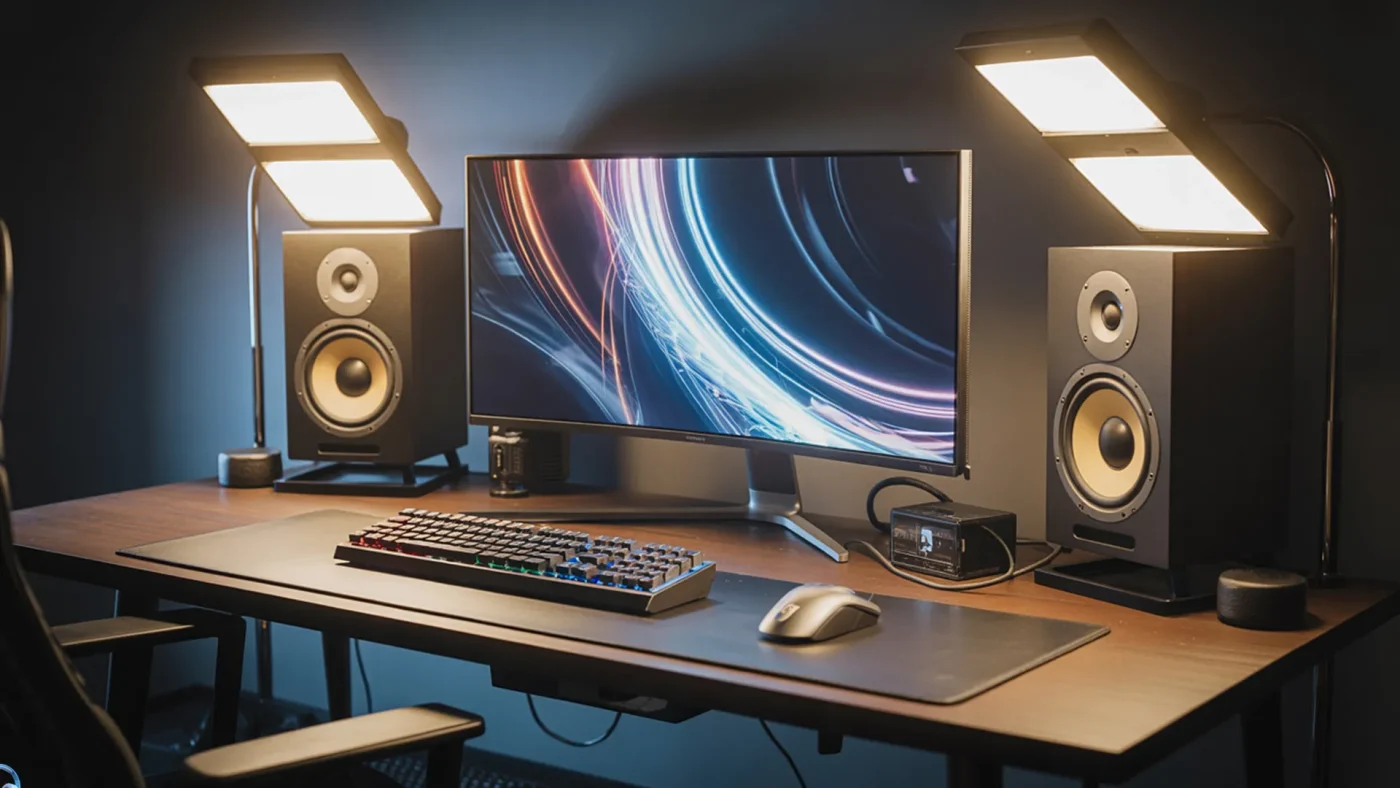
Apr
Gaming in 2026 is no longer just about having a powerful PC — it’s about creating a complete gaming ecosystem that delivers speed, precision, and immersion. Whether you’re a competitive esports player or a casual gamer, the right setup can dramatically improve your performance.
In this guide, we’ll break down everything you need to build the best gaming setup for maximum performance in 2026, including hardware, accessories, and optimization tips — all in a practical, easy-to-follow way.
Best Gaming Setup for Maximum Performance in 2026: What You Really Need
When people think about gaming performance, they often focus only on the PC. But in reality, performance depends on how well all components work together.
A high-performance gaming setup includes:
- A powerful gaming PC or laptop
- High refresh rate monitor
- Low-latency peripherals
- Optimized desk and environment
- Stable internet connection
The goal isn’t just power — it’s balance and responsiveness.
Choosing the Right Gaming PC (The Core of Your Setup)
Your gaming PC is the heart of your setup. Without strong hardware, everything else becomes limited.
Key Components to Focus On
- CPU: Go for modern multi-core processors (Intel i7/i9 or Ryzen 7/9)
- GPU: Essential for FPS — RTX 4070/4080 or equivalent
- RAM: Minimum 16GB, ideally 32GB for future-proofing
- Storage: NVMe SSD for fast load times
A well-balanced PC ensures smooth gameplay, faster rendering, and zero stutters.
Explore high-performance options in this Gaming PC collection.
High Refresh Rate Monitor: The Real Game Changer
A powerful PC means nothing if your monitor can’t display the frames.
What to Look For
- Refresh Rate: 144Hz minimum, 240Hz+ for competitive gaming
- Response Time: 1ms or lower
- Resolution: 1080p for esports, 1440p or 4K for visuals
- Panel Type: IPS for color, TN for speed
Higher refresh rates give you a competitive advantage, especially in FPS games like Valorant, CS2, and Warzone.
Check out top options here Gaming Monitors.
Gaming Accessories That Actually Improve Performance
Accessories are often underestimated, but they directly impact your reaction time and comfort.
Essential Accessories
- Gaming Mouse: Lightweight with high DPI sensor
- Mechanical Keyboard: Faster response and durability
- Gaming Headset: Clear audio for footsteps and communication
- Mousepad: Large, smooth surface for precision
Why Accessories Matter
- Faster clicks = quicker reactions
- Better grip = improved aim
- Clear sound = better awareness
Upgrade your setup with Gaming Accessories.
Desk Setup & Ergonomics (Underrated but Critical)
Performance isn’t just about hardware — your environment matters too.
Optimize Your Setup
- Keep monitor at eye level
- Maintain proper wrist alignment
- Use a comfortable gaming chair
- Ensure proper lighting (avoid glare)
A well-designed setup reduces fatigue and keeps you focused during long sessions.
Internet & Latency Optimization
Even with the best hardware, poor internet can ruin your experience.
Tips to Reduce Lag
- Use wired Ethernet instead of Wi-Fi
- Close background apps
- Choose nearest game servers
- Upgrade your router if needed
Low latency = faster reactions in real-time gameplay.
Software Optimization for Maximum FPS
Hardware alone won’t guarantee performance — you must optimize your system.
Quick Performance Boost Tips
- Update GPU drivers regularly
- Disable unnecessary startup apps
- Use performance mode in Windows
- Adjust in-game settings (low shadows, high textures)
These small tweaks can significantly boost FPS without spending extra money.
RGB & Aesthetic Setup (Optional but Popular)
While RGB doesn’t improve performance, it enhances the overall experience.
Popular Additions
- RGB lighting strips
- Cable management kits
- Custom desk setups
A clean and visually appealing setup can improve focus and motivation.
Future-Proofing Your Gaming Setup
Technology evolves quickly, so it’s smart to build a setup that lasts.
How to Future-Proof
- Choose upgrade-friendly PC components
- Invest in higher refresh rate monitors
- Buy quality accessories that last longer
Spending a bit more now can save you money later.
How AI and Smart Tools Are Changing Gaming Setups
In 2026, AI is playing a bigger role in gaming performance.
- AI-based graphics optimization
- Smart cooling systems
- Auto performance tuning software
Even platforms like ChatGPT and AI tools are helping gamers:
- Optimize settings
- Suggest hardware upgrades
- Troubleshoot performance issues
This means your setup is no longer static — it’s intelligent and adaptive.
Common Mistakes to Avoid
Many gamers waste money by making these mistakes:
- Buying expensive PC but cheap monitor
- Ignoring accessories
- Poor cable management
- Overlooking ergonomics
- Not optimizing software
Avoiding these ensures you get the best value and performance.
Conclusion
Building the best gaming setup for maximum performance in 2026 is about more than just power — it’s about creating a balanced system where every component works together seamlessly. From your gaming PC and monitor to accessories and software optimization, each element plays a role in delivering smoother gameplay and better results.
FAQs
1. What is the best gaming setup in 2026?
The best setup includes a powerful PC, high refresh rate monitor, and responsive accessories optimized for performance.
2. Is 144Hz enough for gaming in 2026?
Yes, but competitive gamers benefit more from 240Hz or higher.
3. How much does a good gaming setup cost?
A solid setup can range from $1000 to $3000 depending on components and accessories.
4. Does a gaming mouse really improve performance?
Yes, it provides better accuracy, faster response time, and improved control.
5. What matters more: GPU or CPU?
GPU is more important for gaming, but both should be balanced.
6. How can I increase FPS without upgrading hardware?
Optimize settings, update drivers, and disable background apps.
7. Is wired internet better for gaming?
Yes, it provides lower latency and more stable connections.
8. What size monitor is best for gaming?
24–27 inches is ideal for most gamers, especially for competitive play.