
Blogs, Gaming Table
Gaming Table Setup Mistakes Bahrain Players Overlook
Apr
Build a Gaming Table Setup That Actually Makes You Better
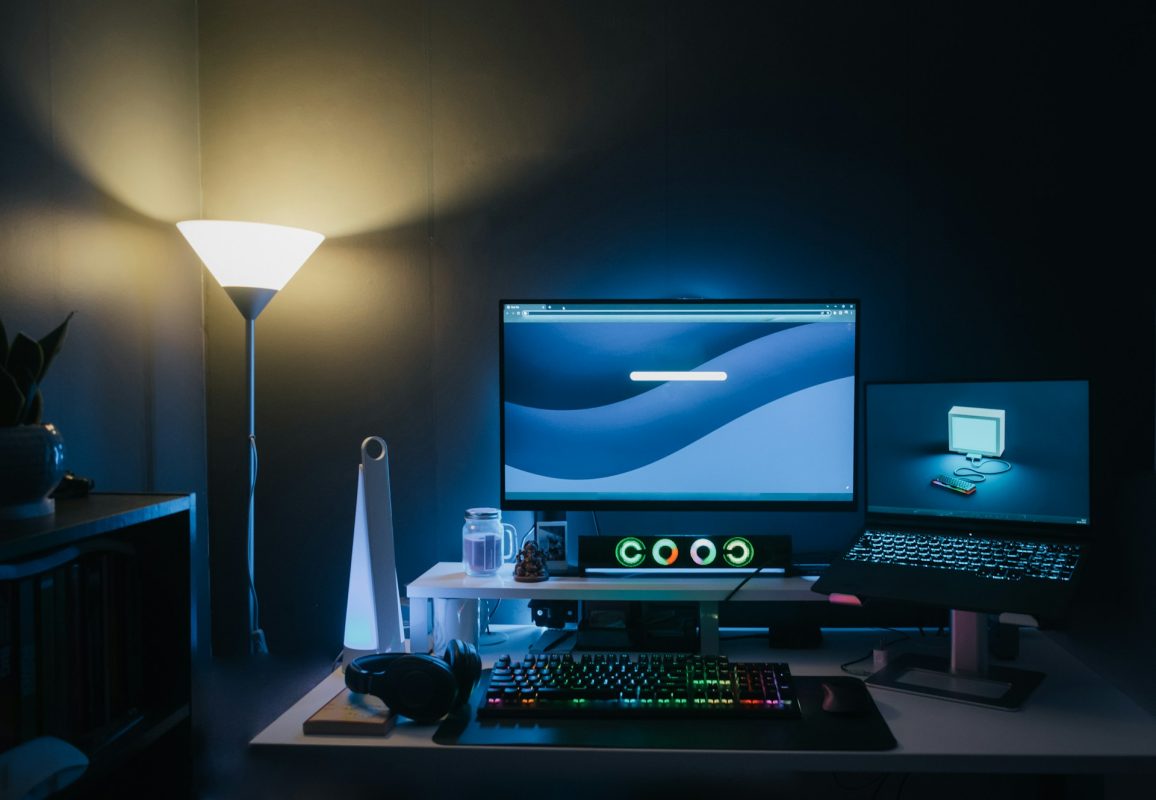
A smart gaming table setup is not about making the room look cool; it is about playing better and feeling better while you play. When your screen, chair, mouse space, and cables all work together, your focus goes up, and small mistakes go down. Your gear also stays safer from heat, spills, and random accidents.
Here in Bahrain, many of us play in smaller rooms, shared spaces, and apartments. We grind ranked games late into Ramadan nights, or sit through long weekend sessions while the AC tries to keep up. A messy, cramped gaming table can turn those sessions into pain fast. In this guide, we walk through the common gaming table mistakes gamers here often overlook, and how to fix them without rebuilding your whole room.
Choosing the Wrong Table Size for Your Space
One of the biggest problems starts with the table itself. Many players buy a small desk, then try to squeeze a full tower, dual monitors, a console, speakers, and a massive mousepad on top. The result is clutter, almost no mouse space, and a higher chance of knocking a drink or headset onto the floor.
Before you pick a gaming table, think about how it fits in your actual room, not just how it looks in a photo. In Bahrain, lots of rooms pull double duty as a bedroom, study, and gaming space. That means you need to plan for movement too.
Key things to check before choosing a table size:
- Measure where the chair will roll in and out
- Make sure doors and wardrobe doors can still open fully
- Keep a clear walking path so you are not bumping screens or your PC
Another mistake is only planning for what you own right now. Maybe you have a single monitor today, but you are already dreaming about adding a second screen, a racing wheel, or a bigger mousepad for FPS games. If your table barely fits your current setup, any upgrade will feel like a puzzle you cannot solve.
Think ahead about:
- Space for a second monitor or wider stand
- Room for a console or handheld dock next to the PC
- Extra depth for a big mousepad and keyboard without hanging off the edge
Overlooking Heat and Cable Management in Bahrain Homes
Heat is a real enemy for gaming PCs, especially with Bahrain’s long hot months. Many players push their gaming table right against a wall or tuck the PC into a corner to “save space”. This can trap hot air around your case and cut off airflow your GPU and CPU need.
Try to:
- Leave a small gap between the table and the wall for cables and air
- Avoid placing the PC right beside a sun-facing window
- Keep the back and sides of the case free from blocking panels or cabinets
Also think about what is happening under and around the desk. If you stuff boxes, bags, and power strips under there, you might be blocking vents on the case or stopping air from flowing around your legs and PC. Cables can wrap around air intakes or fans, and dust loves to build up in messy corners.
Basic cable habits that help a lot:
- Use simple Velcro ties to group cables together
- Run cables along the back of the table, not across the floor
- Keep power strips off carpets if possible and away from where your feet move
A clean cable layout is not only safer, it makes it easier to move your setup, change a part, or clean dust without pulling something important by mistake.
Bad Ergonomics That Kill Focus and Comfort
You can have the best gear in Bahrain and still play badly if your body hurts. A gaming table that is too high or too low can quietly wear you down. If your shoulders sit up by your ears, or your wrists bend hard while typing, it will show up as slower reactions and more breaks.
A simple rule that helps most gamers: when you sit in your normal chair, your elbows should be close to a 90-degree angle when your hands rest on the keyboard and mouse. Your shoulders should feel relaxed, not tight.
For better ergonomics, aim for:
- Chair height where your feet are flat on the floor
- Table height where elbows sit at or near 90 degrees
- Armrests that support your arms without lifting your shoulders
Monitor placement is another silent killer. Many gamers push screens too far back, tilt them too high, or angle dual monitors sharply to the side. That leads to neck strain and tired eyes during long ranked grinds.
Try these simple monitor checks:
- The top of the screen should be at or just below eye level
- The main monitor should be about an arm’s length away
- If you use two screens, keep your main one centered, not off to the side
Your feet and forearms also matter. Dangling feet or sharp table edges pressing into your arms can distract you more than you think during a close match.
Cluttered Surfaces and Bad Lighting Choices
Many gaming tables slowly turn into storage shelves. Boxes, snacks, controllers, school books, random cables, it all piles up. The more clutter on your table, the less space you have to move your mouse, adjust your keyboard, or keep your console and PC safe from spills and dust.
Try to keep only what you use during a normal session on the main surface:
- Keyboard and mouse
- Main controller or two
- Headset and maybe a small stand
- One clean spot for a drink, away from your PC
Lighting is another area where gamers often go wrong. Heavy RGB strips, a bright lamp shining straight at the screen, or a strong ceiling light can cause glare on your monitor. This makes colors look washed out and forces your eyes to work harder.
Better options include:
- Soft, indirect light behind or beside the monitor
- Bias lighting behind the screens to reduce eye strain
- An adjustable desk lamp aimed at the table, not into your face
Good lighting should let you read, work, and game without squinting, both on late nights and sunny afternoons.
Forgetting Console, Accessory, and Maintenance Needs
Many Bahrain gamers play on more than one platform. A table planned only for a PC setup can feel messy when you try to add a console, handheld dock, or charging base later. Controllers end up in random spots, headset cables hang across the screen, and nothing feels organized.
When planning your gaming table, think about:
- A clean space for your console or dock near the TV or monitor
- A stable place for controller chargers where cables do not cross your mouse area
- A hook or stand for your headset so it is not tossed on the floor or chair
Our homes also deal with dust, especially when AC runs often and windows stay closed. Having a small clear section of your table, or even a pull-out shelf, makes cleaning and simple upgrades much easier. You can swap a mouse, change a headset pad, or open a side panel without balancing parts on your lap.
Simple storage helps a lot:
- Drawers for small items like USB drives, spare cables, and screws
- Under-desk shelves or racks for boxes and game cases
- Hooks on the side of the table for bags or long cables
Turn Your Gaming Table Into a Gravity-Defying Upgrade
When you think of your setup, think of the gaming table as the base that holds everything together. Comfort, focus, and how long your hardware lasts all start with smart choices about size, placement, airflow, and layout. Small changes to height, spacing, and cable paths can make a big difference in how you feel after a long session.
A simple weekend plan could be: measure your room, shift your table for better airflow and sunlight control, adjust chair and monitor height, clear the clutter, then tidy your cables and lights. Step back, take a look, and you will feel the difference the next time you queue up. As gamers ourselves at Games Gravity here in Bahrain, we care about setups that not only look good, but actually help you play better and keep your gear safe for the long grind.
Upgrade Your Setup With a Gaming Table Built for Performance
If you are ready to make your play space more comfortable and competitive, explore a gaming table that fits your style and room. At Games Gravity, we focus on designs that support better posture, smarter cable management, and more organized gear. Our team is here to help you compare options so you get a table that actually improves how you play, stream, or work. Have questions before you decide? Just contact us and we will walk you through the best choices for your setup.