
Blogs
How Often Should You Clean Your Gaming PC in Bahrain?

Jun
If you own a gaming computer, regular PC cleaning in Bahrain is essential for maintaining performance, reducing temperatures, and extending the lifespan of your hardware. While many gamers focus on upgrading graphics cards and processors, they often overlook the impact that dust buildup can have on cooling and overall system stability. Bahrain’s dusty environment and warm climate can cause gaming PCs to accumulate dust faster than expected, making routine cleaning an important part of PC maintenance.
Why PC Cleaning in Bahrain Is Important
Gaming PCs rely on proper airflow to keep components such as the CPU, GPU, and power supply cool. Every fan inside your system pulls air into the case, but it also pulls in dust particles. Over time, dust settles on fans, heatsinks, filters, and internal components, restricting airflow and increasing temperatures.
In Bahrain, environmental factors such as dust, sand particles, and heat can accelerate this process. Even if your gaming setup looks clean on the outside, significant dust may be accumulating inside the case where it affects performance the most.
When airflow becomes restricted, components must work harder to maintain safe temperatures. This often leads to higher fan speeds, increased noise levels, and lower gaming performance.
How Dust Affects Gaming Performance
Dust buildup is more than a cosmetic issue. It can directly affect how your gaming PC performs.
Higher Temperatures
Dust acts as an insulating layer on cooling components. When heatsinks and fans become clogged, heat cannot dissipate efficiently, causing CPU and GPU temperatures to rise.
Thermal Throttling
Modern processors and graphics cards automatically reduce performance when temperatures become too high. This process, known as thermal throttling, helps protect hardware but can result in:
- Lower FPS
- Stuttering during gameplay
- Slower loading times
- Reduced responsiveness
Increased Fan Noise
As temperatures rise, cooling fans spin faster to compensate. This creates more noise while often providing less effective cooling due to blocked airflow.
Reduced Hardware Lifespan
Excessive heat places additional stress on electronic components. Over time, this can shorten the lifespan of your CPU, GPU, motherboard, and power supply.
How Often Should You Clean Your Gaming PC?
The ideal cleaning schedule depends on your environment and how frequently you use your computer.
Light Users
If you use your PC occasionally and keep it in a clean room, a deep cleaning every six months may be sufficient.
Regular Gamers
Most gamers should perform internal cleaning every three to four months. This helps prevent dust buildup before it affects performance.
Heavy Gamers and Streamers
If you game daily, stream content, or run demanding applications for extended periods, cleaning every two to three months is recommended.
Monthly Maintenance
Regardless of usage, you should inspect and clean dust filters every month. This simple habit can significantly reduce internal dust accumulation.
Signs Your Gaming PC Needs Cleaning
Many gamers wait until problems appear before cleaning their systems. However, several warning signs indicate that maintenance is needed.
Higher CPU and GPU Temperatures
If monitoring software shows temperatures higher than usual, dust buildup may be restricting airflow.
Loud Fans
Fans running constantly at high speeds often indicate cooling issues caused by dust.
FPS Drops
Unexpected performance drops during gaming can be linked to thermal throttling.
Random Shutdowns
Severe overheating may cause your PC to restart or shut down unexpectedly.
Visible Dust
Dust around vents, filters, and fan blades is a clear sign that deeper cleaning is likely required.
Which Parts of a Gaming PC Need Regular Cleaning?
Case Fans
Case fans move fresh air into the system and remove hot air. Dust-covered fan blades reduce airflow and cooling efficiency.
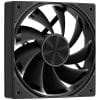
If your cooling system struggles to keep temperatures under control, upgrading to quality PC case fans can improve airflow and overall cooling performance.
CPU Cooler
The CPU cooler is responsible for removing heat from the processor. Dust buildup between cooling fins can significantly reduce cooling effectiveness.
Graphics Card
Modern graphics cards generate substantial heat during gaming. Dust inside GPU heatsinks and fans can increase temperatures and reduce performance.
Dust Filters
Dust filters prevent particles from entering the case, but they require regular cleaning to remain effective.
Power Supply
The power supply also relies on airflow for cooling. Dust around PSU vents should not be ignored.
Tips to Reduce Dust Buildup
While dust cannot be eliminated entirely, you can reduce accumulation by following a few simple practices.
Keep Your PC Off the Floor
Dust tends to settle near the ground. Elevating your PC can reduce the amount of dust entering the case.
Clean Your Room Regularly
A cleaner room results in less dust being pulled into your computer.
Use Dust Filters
Filters help prevent dust from reaching sensitive components.
Maintain Proper Airflow
Ensure that intake and exhaust fans are positioned correctly for balanced airflow.
Organize Your Setup
A tidy gaming area is easier to keep clean. Alongside regular maintenance, investing in quality gaming accessories can help create a more organized and comfortable gaming environment.
DIY vs Professional PC Cleaning
Basic cleaning tasks such as wiping the exterior and cleaning filters can be performed at home. However, deep cleaning requires additional care.
When cleaning a gaming PC yourself:
- Use compressed air carefully
- Avoid moisture
- Do not force components
- Disconnect power before cleaning
For systems with heavy dust buildup or expensive hardware, professional cleaning may be the safer option.
Whether you’re upgrading components, improving airflow, or maintaining your gaming setup, Games Gravity provides gaming hardware, accessories, and PC solutions for gamers throughout Bahrain.
Conclusion
Regular PC cleaning in Bahrain is one of the simplest ways to protect your gaming PC and maintain reliable performance. Dust buildup can increase temperatures, create excessive fan noise, and reduce gaming performance over time. By following a consistent cleaning schedule and addressing dust before it becomes a problem, you can keep your system running cooler, quieter, and more efficiently for years to come.
Frequently Asked Questions About PC Cleaning in Bahrain
Can dust damage a gaming PC?
Yes. Dust can restrict airflow, increase temperatures, and cause hardware components to operate under greater stress.
How often should I clean my gaming PC in Bahrain?
Most gaming PCs should be cleaned every three to six months, depending on the environment and usage.
Why is my gaming PC getting hotter than usual?
Dust buildup on fans, heatsinks, and filters is one of the most common causes of increased temperatures.
Can dust cause FPS drops?
Yes. Dust can contribute to thermal throttling, which reduces gaming performance and frame rates.
Is compressed air safe for cleaning a PC?
Yes. Compressed air is one of the safest and most effective ways to remove dust from internal components when used correctly.
Should I clean my graphics card?
Yes. Cleaning the graphics card helps maintain proper cooling and optimal gaming performance.
How do I know if my PC is overheating?
Signs include loud fans, high temperatures, FPS drops, crashes, and unexpected shutdowns.
Is professional PC cleaning worth it?
Professional cleaning can help remove dust from difficult-to-reach areas and reduce the risk of accidental damage.
Does cleaning improve gaming performance?
Cleaning improves airflow and cooling, which can help maintain consistent performance during gaming sessions.
What is the best way to prevent dust buildup in a gaming PC?
Using dust filters, keeping the PC off the floor, cleaning your room regularly, and performing routine maintenance are the best ways to reduce dust accumulation.