
Blogs
RTX 5080 Guide for PC Gamers in Bahrain 2026
Aug
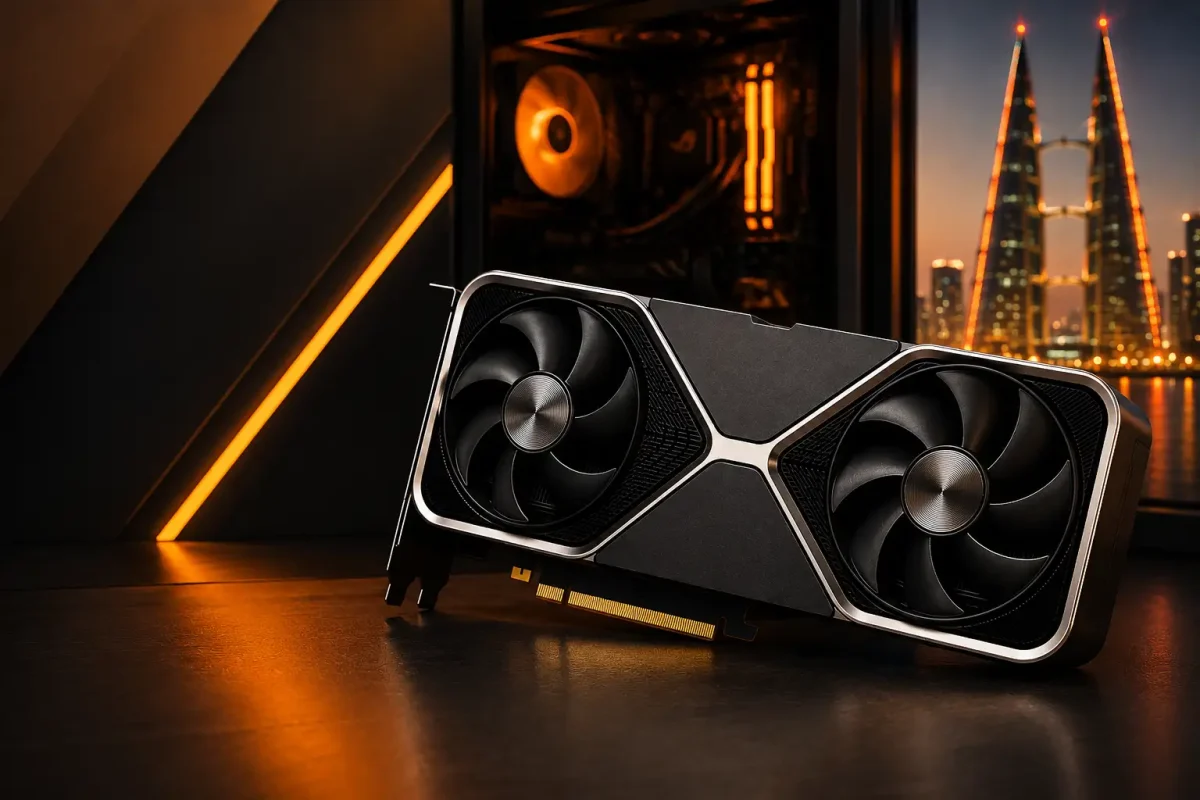
The NVIDIA GeForce RTX 5080 is a high-end graphics card designed for gamers who want strong 1440p and 4K performance, advanced ray tracing, high-refresh-rate gaming and NVIDIA’s latest AI-assisted graphics technologies.
For PC gamers in Bahrain, however, choosing an RTX 5080 involves more than checking benchmark numbers. Your processor, monitor, power supply, PC case, cooling and target resolution all affect whether you can properly use the performance of a high-end GPU.
This guide explains what the RTX 5080 offers, where it fits in a modern gaming PC, what hardware you should pair with it, and what Bahrain gamers should check before installing one.
RTX 5080 at a Glance
The RTX 5080 is based on NVIDIA’s Blackwell architecture and includes 16GB of GDDR7 memory.
NVIDIA’s reference specifications list 10,752 CUDA cores, fourth-generation ray-tracing cores, fifth-generation Tensor cores, a 2.62GHz boost clock, and 360W Total Graphics Power.
| Specification | RTX 5080 |
|---|---|
| Architecture | NVIDIA Blackwell |
| CUDA Cores | 10,752 |
| VRAM | 16GB GDDR7 |
| Memory Interface | 256-bit |
| Base Clock | 2.30GHz |
| Boost Clock | 2.62GHz |
| Ray Tracing Cores | 4th Generation |
| Tensor Cores | 5th Generation |
| PCI Express | PCIe Gen 5 |
| Total Graphics Power | 360W |
| Recommended System Power | 850W |
| Display Outputs | 3x DisplayPort, 1x HDMI |
| AV1 Encode / Decode | Yes |
| Maximum Displays | Up to 4 |
These are NVIDIA’s reference specifications. ASUS, MSI, Gigabyte, Palit and other partner cards can differ in dimensions, cooling, clock speeds and power behaviour.
What Is the RTX 5080 Designed For?
The RTX 5080 is primarily suited to high-performance gaming systems.
It makes the most sense for users targeting:
- High-refresh 1440p gaming
- 4K gaming
- Advanced ray tracing
- Premium OLED or high-refresh gaming monitors
- VR gaming
- Streaming
- Video editing
- 3D rendering
- GPU-accelerated creative applications
It is not necessary for every gaming PC.
If you mainly play lightweight games at 1080p on a 60Hz or 75Hz display, you are unlikely to use the RTX 5080’s full capabilities.
The goal should be to match the GPU with the resolution and frame rate you actually want.
Is the RTX 5080 Good for 1440p Gaming?
Yes. The RTX 5080 is particularly attractive for gamers targeting high frame rates at 2560 × 1440.
A powerful GPU at 1440p can make sense when paired with:
- 165Hz monitors
- 180Hz monitors
- 240Hz monitors
- 360Hz monitors
- 1440p OLED displays
This combination can work especially well for players who switch between competitive games and graphically demanding AAA titles.
When CPU Performance Becomes Important
At very high frame rates, the processor has to prepare frames quickly enough to keep the GPU busy.
That means an RTX 5080 paired with an older or relatively weak CPU may not achieve its full potential in CPU-heavy or competitive games.
Do not judge a system from the GPU alone.
For a balanced high-refresh build, consider:
- GPU performance
- CPU performance
- RAM configuration
- Game engine
- Target FPS
- Monitor refresh rate
At 1440p 240Hz or above, the complete platform becomes increasingly important.
Is the RTX 5080 Good for 4K Gaming?
4K gaming is one of the RTX 5080’s clearest use cases.
Rendering at 3840 × 2160 places substantially more work on the graphics card than 1080p or 1440p, making a high-end GPU more useful.
The RTX 5080 combines Blackwell architecture, fourth-generation ray-tracing cores and NVIDIA’s current DLSS technologies for demanding games and high-resolution displays.
However, there is no single FPS number that represents every RTX 5080 game.
Performance varies according to:
- Game engine
- Graphics preset
- Ray tracing
- Resolution
- DLSS setting
- Frame generation
- Processor
- Game updates and drivers
Instead of asking whether the RTX 5080 can “run 4K,” decide what kind of 4K experience you expect.
4K 60Hz Gaming
The RTX 5080 provides much more capability than a basic 60Hz target requires in many titles, although demanding ray-traced games can still create heavy workloads.
4K 120Hz to 165Hz Gaming
This is a more natural high-end use case.
A high-refresh 4K display allows you to benefit from both image detail and stronger GPU performance.
4K With Ray Tracing
Ray tracing increases GPU demand substantially in supported games.
This is where technologies such as DLSS become particularly useful.
DLSS, Ray Reconstruction and Multi Frame Generation
The RTX 5080 supports NVIDIA DLSS technologies including Super Resolution, Ray Reconstruction, Frame Generation and Multi Frame Generation in supported software.
These features perform different jobs.
DLSS Super Resolution
DLSS Super Resolution renders the game at a lower internal resolution and reconstructs the output using NVIDIA’s AI-assisted technology.
This can reduce GPU workload while targeting higher-resolution output.
Ray Reconstruction
Ray Reconstruction is designed for supported ray-traced content and replaces some traditional denoising stages with an AI-based reconstruction approach.
Multi Frame Generation
Multi Frame Generation can generate additional frames between conventionally rendered frames on RTX 50-series hardware.
This can increase displayed frame rates substantially in compatible games.
However, generated frames are not the same thing as increasing the game’s underlying native rendering rate.
When judging gaming performance, consider:
- Base FPS
- Input latency
- Image quality
- Frame consistency
- The type of game
For competitive games, strong native performance and low latency remain especially important.
Is 16GB VRAM Enough for RTX 5080 Gaming?
The RTX 5080 includes 16GB of GDDR7 memory on a 256-bit interface.
Whether 16GB is enough depends on factors such as:
- Resolution
- Texture quality
- Ray tracing
- Game engine
- Mods
- Creative workloads
For current gaming, 16GB represents a substantial VRAM capacity, but VRAM usage should not be considered in isolation.
Having more VRAM does not automatically make one graphics card faster than another.
GPU architecture, memory bandwidth, processing performance and software also matter.
What CPU Should You Pair With an RTX 5080?
There is no single processor that every RTX 5080 owner needs.
The correct pairing depends heavily on resolution and target frame rate.
For 4K Gaming
At demanding 4K settings, the graphics card often carries a larger share of the workload.
A capable modern processor is still important, but you generally do not need to chase the most expensive CPU solely because you own an RTX 5080.
For 1440p High-Refresh Gaming
CPU performance becomes more important as your FPS target increases.
A gamer trying to reach 240 FPS can become CPU-limited much sooner than someone targeting 100 FPS.
For Competitive Gaming
Games such as competitive shooters can become heavily CPU-dependent when visual settings are reduced and frame-rate targets become extremely high.
The best approach is to build a balanced system around your actual target rather than pairing a premium GPU with weak supporting hardware.
What Power Supply Does the RTX 5080 Need?
NVIDIA specifies 360W Total Graphics Power for its reference RTX 5080 and recommends an 850W minimum system power supply for the reference configuration used in its guidance. NVIDIA notes that power requirements can vary depending on the complete PC configuration.
The reference card can use:
- Three PCIe 8-pin cables through the supplied adapter, or
- One compatible 450W-or-greater PCIe Gen 5 power cable.
If your current PSU is unsuitable, compare power supplies available in Bahrain based on the complete system rather than selecting a unit from wattage alone.
Is 850W Enough for an RTX 5080?
For many properly configured systems, a quality 850W PSU can be appropriate.
But the final requirement also depends on:
- CPU power consumption
- Overclocking
- Number of drives
- Cooling system
- Additional PCIe hardware
- PSU efficiency and quality
A 1000W PSU may provide additional headroom in certain high-power configurations, but buying more wattage than necessary does not improve FPS.
PSU Quality Matters
Do not install an expensive graphics card with a poor-quality power supply simply because the number printed on the PSU says 850W.
Look at:
- Platform quality
- Protection features
- Correct connectors
- Efficiency
- Manufacturer reputation
- Warranty
Power delivery is part of system stability.
Will the RTX 5080 Fit in Your PC Case?
Physical compatibility should be checked before ordering.
NVIDIA’s reference RTX 5080 is approximately 304mm long and 137mm wide, but partner-card dimensions vary by manufacturer. NVIDIA specifically recommends checking the exact add-in-board manufacturer’s specifications.
Before buying, check:
- Maximum GPU length supported by your case
- GPU thickness
- Expansion-slot clearance
- Front radiator clearance
- Power-cable clearance
- Side-panel clearance
Some triple-fan RTX 5080 models can be considerably larger than the reference design.
Leave Room for the Power Cable
Do not calculate case clearance using only the GPU’s length.
You also need enough space for the power connector and cable without forcing the cable tightly against the side panel.
NVIDIA’s current installation guidance recommends additional clearance for the power connection.
Cooling and Airflow for an RTX 5080 in Bahrain
Cooling deserves particular attention in a high-performance PC.
An RTX 5080 can consume substantial power under load, while a high-end CPU can add significant heat of its own.
A poorly ventilated case can allow that heat to build up during long gaming sessions.
For Bahrain gamers, pay particular attention to:
- Room temperature
- Case airflow
- Dust buildup
- Intake filters
- Exhaust fans
- GPU clearance
- CPU cooler performance
A Good Airflow Setup
A simple gaming-PC airflow layout normally includes:
- Front or bottom fans bringing cool air in
- Rear and/or top fans removing warm air
- Clear space around GPU fans
- Clean filters
- Unblocked case vents
More fans do not automatically mean better cooling.
Correct placement and airflow direction matter.
Signs Airflow May Need Improvement
Watch for:
- Fans constantly running very loudly
- GPU temperatures increasing over long sessions
- CPU and GPU both becoming unusually hot
- Performance declining after sustained gaming
- A large temperature improvement when the side panel is temporarily removed
Measure temperatures before assuming cooling is the problem.
What Monitor Should You Use With an RTX 5080?
Buying a premium graphics card while using a basic monitor can prevent you from seeing much of the performance you paid for.
Good RTX 5080 display combinations include:
1440p 165Hz to 240Hz
Suitable for gamers who want high frame rates while retaining good image sharpness.
1440p 360Hz+
More specialised toward competitive gaming where the game and CPU can generate extremely high frame rates.
4K 144Hz to 240Hz
One of the strongest pairings for an RTX 5080 if you prioritise high-resolution gaming.
OLED Gaming Monitors
OLED can combine fast pixel response with excellent blacks, contrast and HDR performance.
NVIDIA’s reference RTX 5080 supports DisplayPort 2.1b and HDMI 2.1b, with high-resolution/high-refresh display configurations supported depending on connection and DSC.
If you are upgrading the complete setup, compare gaming monitors available in Bahrain based on your target resolution and refresh rate.
Is an RTX 5080 Necessary for 1080p Gaming?
For most gamers, no.
The RTX 5080 can certainly run games at 1080p, but that does not mean it represents the best value for a 1080p setup.
At lower resolutions, you are more likely to encounter limitations from:
- CPU performance
- Game engine
- Refresh rate
- Frame-rate caps
If your monitor is limited to 1080p 60Hz or 75Hz, upgrading the monitor and choosing a more balanced GPU may provide a better overall experience.
The RTX 5080 makes considerably more sense when paired with a high-refresh 1440p or 4K display.
RTX 5080 for Competitive Gaming
Competitive gaming is slightly different from visually demanding AAA gaming.
Players generally prioritise:
- High FPS
- Low latency
- Stable frame times
- High monitor refresh rates
The RTX 5080 can provide substantial graphics capability, but esports titles running at extremely high frame rates can become CPU-limited.
A 360Hz monitor does not automatically mean you need an RTX 5080.
The right GPU depends on the specific game, settings and processor.
RTX 5080 for Streaming and Content Creation
The RTX 5080 is not only a gaming GPU.
NVIDIA lists two ninth-generation NVENC encoders, two sixth-generation NVDEC decoders and AV1 encoding/decoding support on the RTX 5080.
These capabilities can be useful for supported workflows involving:
- Game streaming
- Video encoding
- Video editing
- 3D applications
- Creative software
- AI-assisted workloads
If you both game and create content on the same PC, these features may matter more than they would for a gaming-only system.
Do You Need PCIe 5.0 for the RTX 5080?
The RTX 5080 supports PCI Express Gen 5.
However, the presence of PCIe Gen 5 on the GPU does not mean every older motherboard automatically needs to be replaced.
PCI Express generations are designed with backward compatibility in mind.
Before replacing your motherboard, check:
- Motherboard PCIe slot
- BIOS support
- CPU compatibility
- PSU
- Case clearance
- Overall platform age
In many older systems, the more important question will be whether the CPU is strong enough for the RTX 5080 rather than whether the motherboard says PCIe 5.0.
What Should a Balanced RTX 5080 Gaming PC Include?
A high-end GPU performs best as part of a balanced system.
A well-planned RTX 5080 setup should include:
Capable Processor
Choose the CPU according to your resolution and target frame rate.
Adequate RAM
Modern gaming PCs should have enough memory for the game, operating system and normal background applications.
Quality Power Supply
Follow the requirements of your exact GPU and complete system.
Good PC Case
Make sure the graphics card physically fits and receives enough airflow.
Suitable Cooling
CPU and case cooling should be appropriate for the heat generated by the complete build.
Fast SSD Storage
An SSD improves loading and asset access, although it should not be described as a direct replacement for GPU or CPU performance.
Appropriate Monitor
The monitor should match the resolution and frame rate you are trying to achieve.
If you are still comparing GPU choices, you can browse graphics cards available in Bahrain and evaluate them based on your actual gaming target rather than the model number alone.
RTX 5080 Availability in Bahrain
RTX 5080 availability depends on current stock and the specific manufacturer model.
Games Gravity GPU category currently lists an ASUS Prime GeForce RTX 5080 OC Edition with 16GB GDDR7 among its available graphics-card options. Stock and pricing can change, so current availability should always be checked before making a purchasing decision.
For an expensive GPU, also consider:
- Exact model
- Warranty
- Seller support
- Cooler design
- Physical dimensions
- Power requirements
The cheapest listing is not automatically the best option if it creates compatibility or warranty problems.
Who Is the RTX 5080 Best For?
The RTX 5080 makes the most sense for several types of users.
High-End 4K Gamers
This is one of the clearest target users for the card.
High-Refresh 1440p Gamers
Especially those using premium 240Hz-class displays or combining esports and AAA games.
Ray-Tracing Enthusiasts
The RTX 5080 includes NVIDIA’s fourth-generation ray-tracing cores.
Gamers Building a New Premium PC
Starting from a new build makes it easier to select a suitable case, PSU, CPU and monitor around the graphics card.
Gamers and Creators Using One PC
The RTX 5080’s encoding and GPU-compute capabilities make it relevant to users who game, stream and create content on the same machine.
Who Probably Does Not Need an RTX 5080?
An RTX 5080 may be unnecessary if:
- You primarily play at 1080p
- Your monitor is only 60Hz or 75Hz
- You mostly play lightweight games
- Your current PC has a major CPU bottleneck
- Your PSU needs replacement and your budget is limited
- Your case cannot accommodate a high-end GPU
- Buying the GPU would leave too little budget for the rest of the system
The most expensive component is not automatically the smartest component for every build.
RTX 5080 Compatibility Checklist
Before installing an RTX 5080, check these items.
1. CPU
Is your processor capable of supporting your target FPS?
2. Power Supply
Does it provide sufficient power and the correct connection?
3. Case
Will the exact RTX 5080 model physically fit?
4. Power-Cable Clearance
Is there enough space between the GPU connector and case side panel?
5. Cooling
Can the case remove heat effectively during long gaming sessions?
6. RAM
Does the system have enough memory for your games and normal workload?
7. Monitor
Does your display have enough resolution and refresh rate to justify the GPU?
8. Motherboard
Does the system have an appropriate PCIe slot and compatible platform?
9. Drivers
Install the correct NVIDIA driver after installing the GPU.
10. Gaming Goal
Know whether you are targeting 1440p high refresh, 4K, ray tracing, VR or another specific workload.
How This Guide Was Prepared
This guide separates manufacturer specifications from practical system recommendations.
Technical details such as CUDA core count, memory configuration, power requirements, reference dimensions, display capabilities and RTX feature support are based on NVIDIA’s official RTX 5080 specifications.
Local availability is checked separately against Bahrain product listings rather than assuming that every internationally available RTX 5080 model is stocked locally.
Unless a specific product is explicitly described as hands-on tested, recommendations in this guide should be understood as specification- and compatibility-based guidance rather than a claim of independent laboratory testing.
Final Thoughts: Is the RTX 5080 Right for Your Gaming PC?
The RTX 5080 is a high-end graphics card best suited to gamers building around demanding 1440p or 4K performance.
Before buying one, do not look at the GPU in isolation.
Check your:
- Processor
- Power supply
- Case
- Cooling
- RAM
- Monitor
- Target resolution
- Target frame rate
For a properly balanced system, the RTX 5080 can provide the foundation for a powerful gaming PC capable of high-resolution gaming, ray tracing, high-refresh displays and demanding creative workloads.
But if the rest of your PC cannot support that level of performance, upgrading the complete platform may be more important than simply installing a faster graphics card.
Build around the gaming experience you actually want rather than buying the highest specification you can afford.
Frequently Asked Questions About the RTX 5080
1. Is the RTX 5080 good for 4K gaming?
Yes. 4K gaming is one of the strongest use cases for a high-end GPU such as the RTX 5080. Actual performance depends on the game, graphics settings, ray tracing, CPU and whether technologies such as DLSS are enabled.
2. Is the RTX 5080 good for 1440p gaming?
Yes. The RTX 5080 is particularly suitable for high-refresh 1440p gaming, including monitors in the 165Hz to 240Hz range and beyond where the CPU and game can produce sufficiently high frame rates.
3. How much VRAM does the RTX 5080 have?
The RTX 5080 has 16GB of GDDR7 memory with a 256-bit memory interface.
4. What power supply do I need for an RTX 5080?
NVIDIA recommends an 850W minimum system power supply for its reference RTX 5080 configuration. The final requirement can vary depending on the processor and other system components.
5. Does the RTX 5080 support DLSS?
Yes. The RTX 5080 supports NVIDIA DLSS technologies including Super Resolution, Ray Reconstruction, Frame Generation and Multi Frame Generation in compatible games.
6. Do I need a PCIe 5.0 motherboard for an RTX 5080?
The RTX 5080 supports PCIe Gen 5, but an older PCIe generation does not automatically mean the GPU cannot be used. Check the motherboard, BIOS, CPU, PSU and overall platform before deciding whether a motherboard replacement is necessary.
7. Will the RTX 5080 fit in any ATX PC case?
No. GPU dimensions vary between RTX 5080 models. NVIDIA’s reference design is approximately 304mm long, but manufacturer models can differ, so always check the exact graphics-card and case specifications before buying.
8. Is the RTX 5080 overkill for 1080p gaming?
For most conventional 1080p setups, yes. The RTX 5080 is more naturally suited to high-refresh 1440p and 4K gaming. Competitive players targeting extremely high frame rates may have specialised reasons for using a high-end GPU at 1080p.
9. What monitor should I pair with an RTX 5080?
Good pairings include 1440p high-refresh monitors and 4K 144Hz-or-higher displays. The ideal monitor depends on whether you prioritise competitive FPS, image quality, AAA gaming or a combination of these.
10. Is the RTX 5080 available in Bahrain?
Yes, RTX 5080 models are listed by local PC retailers, although exact models and stock can change. Games Gravity’s current GPU catalogue includes an ASUS Prime RTX 5080 OC Edition listing.